

What is Colour in Process Printing, and How to Use It?
Process printing involves printing images using a subtractive colour model with primary colours, such as yellow, magenta, and cyan. It helps create full-colour graphics on a white ground background.
Many businesses use colour in process printing to create eye-catching direct mail marketing items. They can incorporate this feature into web-to-print services and conduct effective mailing campaigns! But what exactly does it mean?
Keep reading to learn the meaning of process printing, how to convert RGB to CMYK, how to create appealing printed materials and more. Let’s get started!

What is RGB-CMYK Colour in Process Printing?
RGB stands for Red, Green, and Blue. This additive colour model reproduces colours for process printing by combining red, green, and blue light shades. For example, when these colours come together, you get white. However, you get cyan by mixing green and blue lights and yellow by combining green and red. Businesses use RGB to create digital ads or anything customers want to watch on a screen.
CMYK is another colour model used in process printing. It stands for Cyan, Magenta, Yellow, and Black. Printers use this approach to produce imagery and other graphics on paper. It is a subtractive model, so printers subtract light from white backgrounds to create colours—the opposite of what RGB does. You can add more ink to get darker colours.
Using the CMYK colour model to print marketing materials like business cards, magazines, posters, flyers, and postcards. However, you might need to convert images from RGB to CYMK before printing because RGB has more colours than CMYK, and some colours you can see digitally are challenging to reproduce on paper. For example, deep blue or neon colours can look darker on paper than on screen.
How to Convert RGB to CYMK?
Since RGB uses light and CMYK uses ink, the colours don’t always match perfectly. You can convert using design software like Photoshop or free online tools. Just open your image, select the colour mode, and choose CMYK. Some colours may look different after conversion, so adjust them if needed. Printers mix CMYK inks to create colours, so always test print to see if the colours look right before finalizing your design.
RGB and CMYK work differently because RGB creates colours with light, while CMYK uses ink. It means some bright colours in RGB may not look the same in CMYK. When converting, open your image in software like Photoshop, Illustrator, or online tools, then change the colour mode to CMYK. Some colours may become duller, so adjust brightness and contrast if needed. Always check with a test print because screens and printers display colours differently. Also, use high-quality images for the best print results. If exact colours matter, like in branding, use a colour guide or ask a printing expert.
When converting RGB to CMYK, it’s essential to know that CMYK has a smaller colour range than RGB. Some bright blues and greens may look muted after conversion. To fix this, you can manually tweak colours or use colour profiles that match your printer’s settings.
Always work with high-resolution images to prevent blurriness in print. If printing large quantities, ask your printer for proof—a sample print—to check accuracy before mass production. Also, avoid using pure black (RGB black) because printers mix all inks to create it. Instead, use true CMYK black (100% K) for deep, rich blacks.
Why is Colour in Process Printing Important for Your Direct Mailers?
You must pay attention to colour in process printing when planning and executing your direct mail campaigns for many reasons. It can make or break your mailings and directly affect response and conversion ratios. Here’s how:
Appearance is the First Thing Recipients See
Imagine you put together a targeted mailing list and send high-quality postcards under your campaign. The recipients open their mailbox and retrieve their mailpieces only to see many blurry images, texts, or colours that look pale. It can instantly cause your mailers to land in a trash bin.
According to Entrepreneur, businesses have eight seconds to impress their direct mail recipients. Since people don’t have a longer attention span nowadays, you must put in extra effort to make your mailpieces stand out. Thus, you should focus on colour in the process of printing, ensuring your message looks exactly like it on paper on a digital screen.
Also, the mailpiece quality depends on how crisp the images are and how good the colours look. It decides whether people see your items as junk or want to keep them as valuable mailpieces they can refer to in the future.
Represents Your Brand
Your direct mail items, like letters, flyers, self-mailers, etc., help people know if your brand is credible. If the colours look pale or dull, they might mistake your marketing message as a shady tactic they cannot trust.
A well-designed, bright postcard or another item paints your company positively, making people interested in your products and services. They might also share the mailer with their friends or family who might be interested in your brand. However, these goals might go south if you send a poorly designed, blurry mailpiece that screams “unprofessional.” It creates a bad impression, and people might never trust you again.
Increases Your Campaign Impact
Your direct mail marketing campaign’s responses and conversions directly rely on the quality of your mailers. People only complete the calls to action (CTA) when they like the item and appreciate the thought and effort. Otherwise, they might stuff it in a drawer and never look at it again. Thus, the colour in process printing is essential to ensure they take the necessary steps to go ahead in their buying process, like contacting you, signing up for a demo, or saving things in the shopping carts.
You can change the colours in your images and other graphics based on your campaign goals. For example, you can use brighter colours to advertise a new product or warm colours to greet old customers who buy from you repeatedly. The goal is to manipulate and leverage colour printing to win your buyers’ purchases.

What Other Elements Should You Work on to Get Higher Direct Mail Responses?
Besides correctly using colour in process printing, businesses must work on other direct mail elements to communicate their messages. Some of them are:
Tailored Messages and Offers
You must personalize your direct mail texts to ensure they resonate with your target audiences. It lets you catch people’s attention faster and make them consider your offers. For example, imagine you plan on opening a new store near your current customers’ location. You can send them a flyer highlighting the short distance between your store and their home to help them visit you more often. It shows you care about the buyer and want to nurture your company-customer relationship.
Another element you should consider is urgency. You must create Fear of Missing Out (FOMO) to get people to reply to your messages and offers within a specific time frame. Otherwise, it can lessen the campaign impact and make it challenging for your teams to track responses.
Images
If you use the correct colour model based on the collateral you print and send, your direct mail images will look more vibrant and crisp. However, your choice of imagery will not work well if it does not complement your messages. Use graphics that bind your mailpieces together and help people understand what you want to say and what you need from them.
You can always get a few printed samples to check whether the images look good colour-wise and context-wise. Making changes and launching more well-thought-out campaigns is better than not testing anything beforehand.
Paper Size and Type
Please don’t send mailers that use light or low-quality card stock because it can negatively affect your campaigns. Often, your mail graphics look bad on paper because your paper quality needs to be better. Thus, ask your printers to show you the stock options and select one that best represents your artwork.
Also, the size of your mailers can impact the campaign performance. Please choose a size that gives you enough white room but uses the space well and doesn’t make it look empty. It helps you spend less and get the most out of your campaigns.
Contact Details
Place your contact information, like phone number, email address, and website link, in a spot people can notice. It should catch their eyes the minute they see the item, ensuring they know they can connect with you whenever needed to resolve queries or ask questions.
Use colour in process printing to differentiate between direct mail elements, like the contact details, CTAs, images, and headings. You can use different colour combinations for every aspect to pop out adequately.
How Do You Get Colour in Process Printing Online?
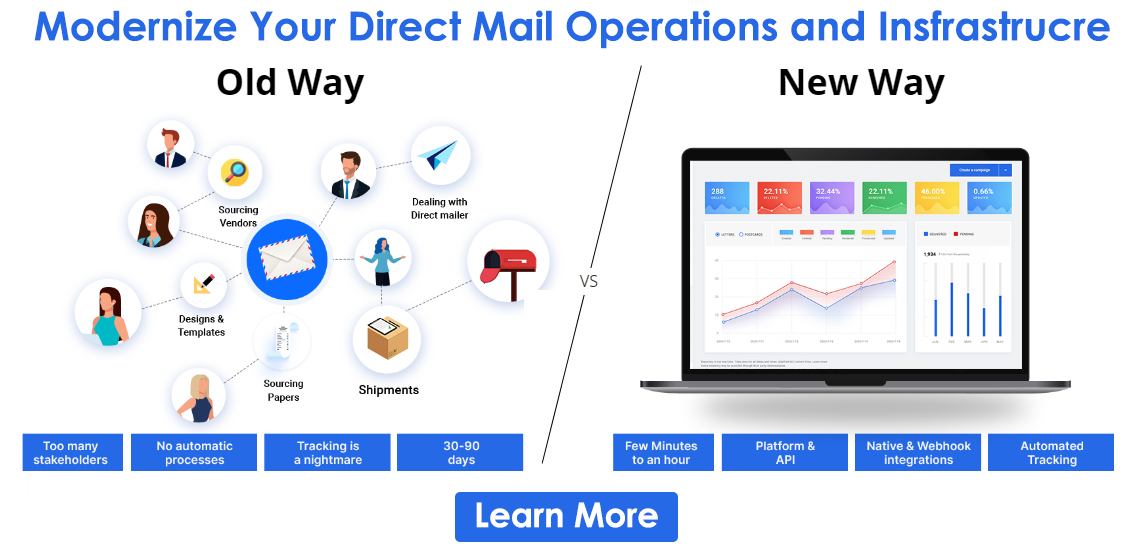
You can skip going through the different types of colour models and whether to use colour in process printing by incorporating automation. A direct mail API, like PostGrid, can enable you to design, print, and ship items in one place. Thus, you can handle everything online without contacting different printers and negotiating prices.
The best part is that you can design the collaterals in any way you want, and the prints will look the same as the ones you created. You don’t need to worry about how the artwork would look on paper. You can create and mail many direct mail types, like:
- Postcards
- Letters
- Self-mailers
- Oversized envelopes
- Flyers
- Newsletters, etc.
Also, you can send transactional and compliance mailers by using colour in process printing online. Many companies add logos and branding elements to their documents, like invoices, statements, bills, and notices. Thus, they can use PostGrid to manage different mailings without hassles.
Why Use PostGrid's Direct Mail Solution to Print High-Quality Mailers?
It helps businesses print and send mail without any manual work. It automates everything, from designing to printing and shipping. Businesses upload their details, and PostGrid handles the rest. It works with postcards, letters, invoices, and more. The platform connects with your CRM so that you can send mail automatically based on triggers.
There is no need to visit a printer or post office. PostGrid ensures high-quality printing and fast delivery. It also provides tracking, so businesses know when mail is sent and received. Furthermore, it saves time, reduces errors, and simplifies direct mail.
PostGrid prints mail on high-quality paper with professional-grade printers. It supports different types of mail, including postcards, letters, invoices, and marketing materials. The printed text and images are clear and sharp, giving businesses a polished and professional look.
Also, the platform verifies addresses before mailing to ensure accuracy. It helps prevent delivery errors, reduces returned mail, and avoids unnecessary printing costs. By providing correct addresses, businesses can deliver mail faster and more efficiently. Sign up now for more information on using colour in process printing online using PostGrid!