
How to Avoid Getting the 'No Access to Delivery Location' USPS Update?
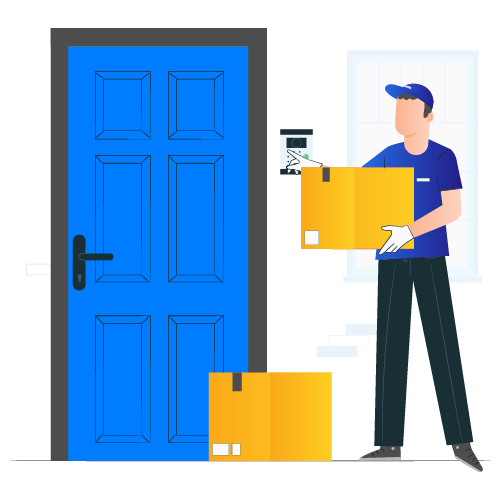
Have you ever faced situations when your mail item does not reach you even after being close to your location? Perhaps, you get a notification saying ‘out for delivery,’ but the package never arrives at your address. Instead, you see this message: delivery attempted – no access to the delivery location.
It may mean several things, but the most common interpretation is that something stopped the carrier from delivering the item to your address. These issues could arise from the postal workers’ or your end. But, often, the primary reason for the USPS to have no access to the delivery location is unforeseen and uncontrollable.
The USPS delivered nearly 452.3 million mailpieces daily last year! With such a vast network, there ought to be some problems. It can be annoying and troublesome to both senders and recipients. Thus, you must be proactive about checking your tracking notifications and responding instantly after seeing the ‘USPS delivery failed’ message.
But what does this update mean? What are the reasons that keep the postal workers from delivering your packages to you at the said time?
Keep reading further to explore more about the ‘delivery attempted no access to delivery location’ notification and what you must do next!
What Does ‘No Access to Delivery Location’ Mean?
Customers get tons of USPS tracking notifications now and then. These messages help them stay updated regarding their packages and envelopes. Thus, they can take the necessary action if something goes wrong. Also, they can interact with the senders if they notice some issues.
Out of all the messages, the USPS ‘delivery attempted no access’ notification is the most unwelcome one. It refers to the postal workers who tried to deliver your item but could not because of some reason. Typically, it is hard for customers to figure out the cause, which is why we have compiled this guide.
Why Doesn’t USPS Deliver to My House?
Below, we have broken down why people get the update saying the carrier could not access the delivery location. Troubleshooting these problems can help you resolve them yourself or take necessary action.
Blocked Roads
It is the most common reason for delivery failures to specific addresses. Road construction, blocked roads, etc., can prevent the carrier from reaching your mailbox or front door. Some renovation work or an accident blocking the pathways could also result in failed deliveries.
Hence, the worker takes your item to the Post Office and sends you a ‘no access to delivery location’ notification.
Locked Gates and Unrestrained Pets
Sometimes, the carrier reaches your address accurately but cannot go beyond the gate because it is locked. It is not an issue if your mailbox is on the outer side of the gate, but most people have it inside to avoid robbery. Another reason USPS employees cannot enter your premises is unrestrained pets, mainly dogs.
In such situations, carriers think it’s best to deliver another time, which is why you get the USPS ‘delivery attempted’ update.
Damaged Mailboxes
A damaged or broken mailbox can also lead to you getting the USPS ‘delivery location not accessible’ slip. The delivery worker may ring the front doorbell and hand the item to the recipient, but it’s not always possible. Perhaps,
- There is no one at home
- The carrier cannot reach the front door, etc.
Also, the reason could be that your mailbox is already full of several mail items, and there is no room for a new package.
Weather Conditions
Bad weather is one of the most unpredictable reasons to receive the USPS ‘no access to delivery location’ tracking update. It is not uncommon for fallen trees to block roads leading to your address. Also, extreme weather conditions, like heavy rain or snow, can stop postal trucks from accessing your neighbourhood.
Such scenarios demand that the USPS reschedule your delivery for some other day, and you get a message saying- ‘no access to the delivery location’.
New Development
If your address comes under new construction or building, there is are high chance the USPS has no record of it. Thus, the Post Office will send you a ‘USPS delivery failed’ message until you resolve the issue.
The same thing may happen if your address is part of multi-residence buildings because the USPS may not have information about the internal units.
Sometimes, a “no access to the delivery location” status means the address is not registered with the post office. This can happen if it’s a new building or private property that hasn’t been added to the official postal system yet. For example, imagine someone moves into a brand-new apartment complex. Mail carriers won’t recognize the address if the developer hasn’t registered the units with the local post office. So even if the building exists, the system sees it as “not there,” and the carrier can’t deliver. Until it’s officially registered, mail will be marked as undeliverable. Thus, it is advisable to register new addresses with the USPS at the earliest.
Incorrect or Incomplete Delivery Addresses
Businesses might see the USPS “no access to the delivery location” update when the address is incorrect or incomplete. It indicates that some crucial delivery details, like the apartment number, street name, or postal code, are missing or wrong. For example, if someone writes “45 Fremont ST” but forgets to include “Unit 4B,” the mail carrier won’t know exactly where to deliver the item. They might try to find the location but can’t leave the package without complete information. Therefore, they might take the item back to the postal facility and mark the delivery as “no access” because the address doesn’t give clear instructions on reaching the right spot.
Sunday Delivery
Mostly, USPS does not attempt delivery on Sundays, primarily to commercial addresses. There is nobody to receive the items on weekends, and the premises are locked. But, if a carrier tries to deliver a package on a Sunday and fails, you may see the ‘attempted, no access to delivery location’ update.
It means you will get your items the next business day unless it’s a national holiday.
What to Do If You Get the ‘No Access to Delivery Location’ Update?
Luckily, there are many easy methods to avoid receiving this slip, like:
Buy a Porch Camera
Buying a front door or porch camera helps you identify problems beforehand. If you continuously get a USPS ‘attempted delivery no access’ message, you would want to know the cause.
Seeing the footage of when a USPS carrier attempts delivery may help you understand the reason and solve the problem. Perhaps, your pet is scaring off the delivery worker, or there is some construction at your neighbouring house.
Typically, people install these cameras for security purposes, but they also use them for spying on ‘package thieves.’ Hence, employing them is not a bad idea to determine and eradicate the ‘no access to delivery location’ problem.
Check If Your Address Exists in the USPS Database
The first thing to do when you move to a new location is to check whether your address is in the USPS records. You can file an address change request with the Post Office to redirect your packages to your new delivery address. It helps you avoid getting the USPS ‘delivery attempted no access to delivery location’ most of the time.
The USPS Address Management System (AMS) database has 127 million delivery addresses. Therefore, it is unlikely that the Post Office missed adding your address, and you received a ‘no access to delivery location’ because of it.
Yet, you can speak to the Postmaster at your local postal outlet if you have a doubt. You can manually add it by filling out a form if your address is missing. The process is quick and straightforward. You need to provide adequate information about your property and location, and you are good to go! Once the USPS completes the process, you can skip getting the ‘delivery attempted no access to delivery location’ update.
Use Informed Delivery
According to the USPS, Informed Delivery is a free service from the postal organization that lets you see what mail is coming before it arrives. You get daily emails with pictures of the front of your letters, and you can also track packages. This service is helpful because it informs you of what’s being delivered and when. It can also help you avoid the “no access to delivery location” issue. If you notice that a package is supposed to arrive but doesn’t, Informed Delivery can be your first clue that something went wrong.
You can check the address details in the expected mailpiece. If anything looks off, like a missing apartment number or inaccurate ZIP code, it is best to take action quickly. You could also update the sender or contact USPS before the item is returned.
Informed Delivery can help people or companies that have just moved or have offices in hard-to-find places. Signing up early shows the USPS that your address is active and lets you spot problems sooner. Knowing when every mailer will arrive at your doorstep makes it easier to ensure your mail reaches you. It’s a simple tool that can save time, stress, and missed deliveries.
Rent a Post Office Box
Renting a P.O. box away from their address may be a good move for customers who constantly see the USPS ‘no access to delivery location’ update. It leads to many communication barriers and inconveniences for the recipients. Imagine paying for express delivery and getting such messages on your phone. Also, it may result in financial losses if the mail items comprise crucial documents.
Thus, consider renting out a P.O. box at your local Post Office if you have to worry too much about ‘why doesn’t USPS deliver to my house?’ It is very cost-effective and convenient.
The box may be too small for large-sized packages. Thus, you must visit the PO box office to collect your items. Otherwise, it is an excellent option for customers having continuous deliverability problems, like seeing ‘no access to delivery location’ when they track their mail.
But, you cannot eliminate the barriers beforehand all the time. Hence, we have listed what to do when you get a USPS notification saying- attempted no access to delivery location:
Visit the Post Office
Visit a local Post Office in your area if you don’t receive an explanation why the USPS could not access the delivery location. You can wait for a day or two after you see this notification. Often, the USPS updates the tracking status after a few hours. Or you can go straight down to their office and inquire about your mailpiece.
Ask them for an upfront reason you didn’t get the item on time. And let the person guide you on what you must do next. Provide the postal workers with your tracking number and delivery address to speed up the process.
Contact the Postal Customer Service
You may contact the national USPS office if your local postal outlet cannot help you. Reach the National Postal Service Customer Service hotline at (800) 275-8777 and tell them your concern.
Provide the details, like the time you got the ‘no access to delivery location’ update and why. You may not know the reason, but you can guess to help customer service figure out what to do.
Ensure to call them during working hours, so someone can hear and solve your ‘USPS failed delivery’ concern. Or you can leave a message and wait for the customer support team to reach you.
Drop an Email
Another thing you can do is drop a service request email to the USPS. It helps you follow up with your local Post Office and urge them to do something about your package. Remember to mention your tracking number and other details regarding the ‘no access to delivery location’ notification in your email.
If you cannot visit the Post Office, sending an email may be a convenient and speedy option for you.
You will get a confirmation number instantly, and someone will contact you within two to three business days. Often, they will ask you to visit a specific postal outlet and pick up the package.
Other Options to Prevent Receiving the USPS ‘Delivery Attempted, No Access’ Notification
If the above options aren’t good enough or you don’t want to spend a lot of time contacting the USPS, below are some other solid options you may employ:
Parcel Lockers
Many carrier services offer parcel lockers across the country, including the USPS. Using a parcel locker helps you receive your mailpieces accurately and leave behind the ‘no access to delivery location’ concern.
You can pick up your packages from your lockers at any time according to your convenience. It is also an ideal option for customers often away from home and unavailable to receive their parcels.
Furthermore, there is more security and flexibility compared to your mailboxes. Hence, people use parcel lockers for many purposes other than dealing with USPS ‘no access to delivery location.’
Most parcel locker services are free, or you may need to pay a small service charge. Either way, it is far more efficient than missing deliveries all the time because the carrier cannot access your delivery location.
For example, imagine your office has several departments and you want to streamline your incoming mail. You can use a parcel locker service by paying the monthly fees to ensure you collect all mail items safely. It avoids losing crucial documents and other mailers, among other files, ensuring every mailer reaches the concerned person on time.
Also, you can select a parcel locker closest to your commercial location. It helps your staff pick up the mailpieces whenever convenient without travelling long distances. Thus, parcel lockers are among the best ways to avoid the hassle of dealing with the USPS “no access to delivery location” update. You can especially use parcel lockers if your locality is under construction, has newly built properties, or has blocked roads.
Online Address Verification and Mailing Services
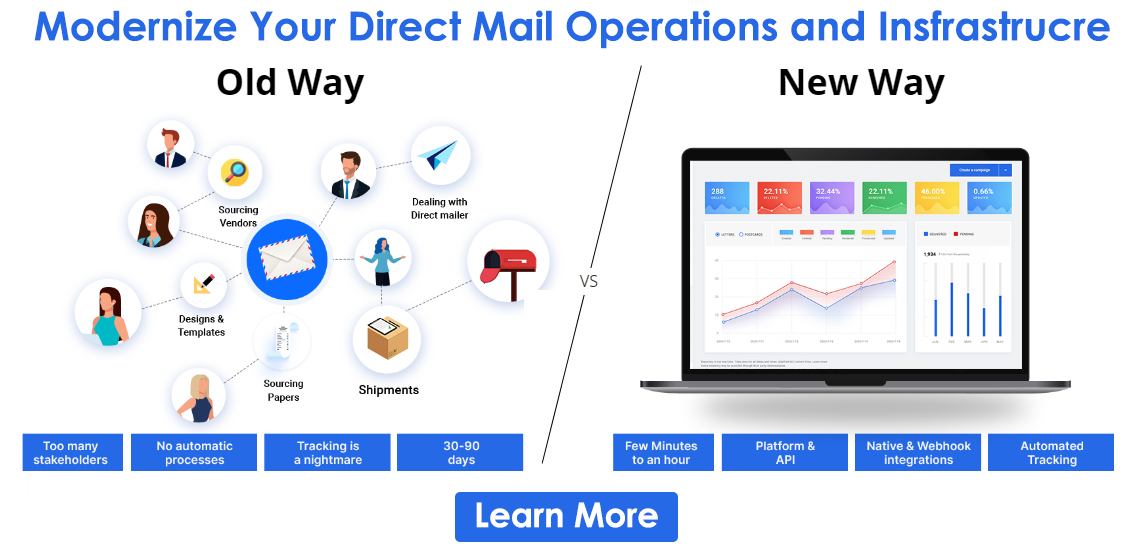
Using online mailing services like PostGrid helps you increase your deliverability rates considerably. Our solutions help you add Intelligent Mail Barcodes (IMBs) to your packages, making tracking simple and quick. Hence, you need not worry about the USPS ‘unable to deliver your mail’ update.
You may access your mailing reports through your dashboard, showing the current status of your packages. Moreover, you can use campaign analytics to spot any issues and work on them for your future mailing activities.
PostGrid also offers postal address verification to confirm if it’s valid, accurate, and deliverable to help your customers not receive the ‘no access to delivery location’ message. You can filter out the problems of new construction, missing address details, incorrect ZIP codes, etc., improving deliverability.
Employing such advanced technology saves time and effort in manually tracking items and handling the USPS ‘delivery attempted no access to delivery location’ notifications.
Virtual Mailbox
A virtual mailbox enables you to get your envelopes and packages at a secure location other than your physical mailbox. Usually, customers purchase a virtual mailbox for:
- Hiding their actual address from senders (for example, home-based businesses)
- Securing their items because their mailbox is prone to theft
- Ditching the ‘no access to delivery location’ issue
- Availing of several features, like mail forwarding, scanning, convenient pickup times, etc.
A virtual or digital mailbox lets you preview your mail items. You may read the contents of your envelopes, print, save, or forward. If you think the mailpiece is unimportant, you can request to shred them securely. These steps help you tailor your postal solutions according to your needs while waving goodbye to the USPS ‘delivery location not accessible’ problems.
You may consider virtual mailboxes like traditional Post Office boxes that enable you to store your parcels until you are ready to pick them up. Hence, you no longer need to wonder what does ‘no access to delivery location’ means and how to solve it.
But how does a virtual mailbox work? Luckily, you don’t need to do anything much, and the process feels like you are browsing your Amazon orders. The only difference is you browse your incoming mail items and choose what to do with them. It is one of the best choices to avoid seeing ‘no access to delivery location’ as your tracking status.
Here are the steps to avail of a digital mailbox:
- Apply for a unique mailing address in the US by signing up at the US Global Mail website. Remember that it is similar to a PO box but has many different characteristics. And you can use this address as a regular residential or commercial address.
If you don’t get any solution for the problem of USPS ‘attempted delivery no access,’ having a virtual address is ideal. But, ensure to redirect your items to this new location instead of your current delivery address. - Manage your items through the virtual mailbox app. You may read, print, recycle, or shred your mailpieces. Also, you can digitally preview them and decide if you want to ship the hard copy to your location.
- Make changes to your virtual mailbox according to your requirements. And you are set to prevent getting the USPS ‘no access to delivery location’ update again!
Also Read: Canada Post Address Verification
Does USPS Deliver the Next Day After Dropping the ‘No Access to Delivery Location’ Message?
Several clients ask whether the USPS delivers items the next business day after the first delivery attempt fails. The answer is yes and no! As said above, the carrier may try to deliver again if you get the ‘no access to delivery location’ update on a Sunday. There is no fixed re-delivery time for other situations.
Thus, it is advisable to sign up for Informed Delivery on the USPS website for free. It helps you get real-time notifications regarding incoming mail. Also, the USPS informs you if the item is an envelope or a package because you get an image of the outer cover.
You can reschedule deliveries or leave crucial instructions to help the carrier drop your items safely, preventing the USPS ‘unable to deliver’ message.
Typically, USPS workers attempt a delivery to your mailing address two or three times. They may leave behind a ‘USPS delivery attempted’ slip every time for your reference. You can take the slip to the Post Office and retrieve your package or wait for another delivery attempt. If delivery fails a second or third time, the carrier returns the item to the sender.
How to Reschedule Your Mail Delivery After Seeing ‘Delivery Attempted - No Access to Delivery Location?’
Before rescheduling the delivery, try picking up the shipment from your local Post Office on the next business day. Remember that these postal outlets remain closed on federal days, so plan your visit accordingly.
Carry a valid, government-issued ID and the ‘no access to delivery location’ slip with you. Alternatively, you can fill out the online form on the USPS website to reschedule delivery. But, you need to check this feature’s availability in your area.
You first need to fill out the following details:
- Your first and last name
- Your middle name or initial (if applicable)
- Company name (optional)
- Street address
- City and state
- ZIP code
- Email address
- Phone number
Once you complete filling out the form, click ‘Check Availability.’ It tells whether the postal workers can provide this feature for the specified address.
If available, select the packages you want to reschedule delivery for after you receive the USPS ‘attempted delivery, no access’ update. After selecting the items, you can choose a schedule for when the carrier can drop off your mail.
Check the USPS’s business hours to pick the correct schedule for error-free deliveries. Then, navigate to the last section of the page and click on ‘Confirm Selections for Redelivery.’ Easy, right?
The rescheduling feature is a saviour for many customers who cannot receive their parcels the first time or need to handle the ‘no access to delivery location’ message. Also, it saves them from the hassle of securing their mailboxes from thieves while being away from home.
Is the ‘Receptacle Blocked’ Update the Same Thing?
You may see the ‘receptacle blocked’ message on some days instead of ‘no access to the delivery location.’ They have almost similar meanings but are still different USPS updates. A receptacle blockage means that something physically blocked the carrier from delivering your consignment.
It indicates that the USPS truck had reached your address on time. Hence, you can rule out the issue where your address does not exist in the USPS database. Also, you can filter other problems, like blocked roads, construction works, etc., which are common reasons for the USPS ‘unable to deliver’ updates.
Then, why the postal workers could not access the delivery location?
Often, it can be because of a parked vehicle blocking the only way to reach the mailbox or your porch. It is rare but possible! Other reasons could include car accidents or other severe incidents on your street, stopping the truck driver from reaching your doorstep.
Furthermore, some utility work outside your house can also result in the mail person not delivering your shipment. You may get the USPS ‘delivery attempted no access to delivery location’ or ‘receptacle blocked’ notification soon after. Therefore, you should always beware of incoming mail and remain on the lookout if something could potentially block access to your receptacle.
Other USPS Tracking Updates You Should Know About
Apart from ‘no access to delivery location,’ you may get numerous other tracking updates from time to time. Knowing what these notifications mean can help you identify potential problems and solve them quickly. Of course, sometimes, all you need to do is wait! But, learning to interpret the USPS updates might help you guide your customers better when they inquire about their package status.
Here are the most common tracking updates you may receive as your item moves across the USPS delivery infrastructure:
In Transit, Arriving Late
Like the USPS ‘delivery attempted, no access’ update, this message also indicates that your mail will be late!
Extreme weather, customs delays, roadblocks, etc., could result in you getting the ‘in transit, arriving late’ update. But, it is not always as bad as ‘no access to delivery location’ because you may still receive your package in a few hours or days.
Other reasons include lost items, damaged mail, incorrect delivery addresses, etc. Thus, it is better to cross-check your mailing lists beforehand using address verification solutions like PostGrid. Our API and software allow you to validate any number of delivery addresses at lightning speed.
Tracking Not Updated
The “USPS tracking not updating” update often refers to that the USPS does not have the current status of your mailpiece. It doesn’t mean your package isn’t moving or the carrier cannot access the delivery location. So, try waiting for a few days before you take action.
Arrival at the Unit
The USPS scans every item as soon as they arrive at a different facility. And you see the ‘Arrival at Unit’ update after each scan. Also, you may get another update when the package leaves the facility.
Out for Delivery
“Out for delivery” is one of those updates that customers are thrilled to get. Unlike the ‘delivery attempted, no access to delivery location’ message, it means that the mailpiece is very close to you.
You don’t need to go anywhere or contact USPS customer service. Also, you don’t need to wait days to get a reply because the item is on its way to you!
Forwarded
If you get the mail-forwarding message, you may already know about it. It is different than the ‘no access to delivery location’ notification. This feature helps people receive their items at an address they find convenient.
You may also get this update when the package has an outdated or invalid address. So, the postal workers redirected the mailpiece to another address registered under the recipient’s name.
Delivered
It is relaxing to see this update at the end. There is nothing left to do like you would if you saw the ‘no access to delivery location’ message instead. You have already received the package, and the delivery process is over.
However, many people panic after they get this update hours before their item reaches them. The USPS workers may scan the package and update the status as ‘delivered’ before the truck driver arrives at your address. And it is normal! So, wait for at least a few hours or one working day before you contact the Post Office.
USPS lets you track your sent mailpieces by entering the tracking numbers on its website. However, you can only check the delivery status of up to 35 items, separated by commas. Hence, you must copy and paste every number into the tracking search box or manually type the numbers you see on different mailing receipts. However, it is daunting to do so, especially if you frequently send large volumes of items to your clients. Hence, you can switch to PostGrid, which lets you send and track mailpieces in large numbers without doing manual work. You get a consolidated view of the statuses on your dashboard in a few clicks.
Notice Left
Sometimes, the postal employees change the address to ‘notice left’ instead of ‘USPS delivery failed.’ It may happen when the sender opts for Certified Mail, wherein you must sign for the mailpiece. Hence, the carrier cannot deliver the item if the recipient isn’t home.
Use a Better Way to Improve Deliverability Rates With PostGrid
It can be very time-consuming and daunting to wait for the USPS to change the ‘no access to delivery location’ and attempt to deliver the item again.
Often, you may take several days to resolve this issue and finally receive your package. The best way to avoid these problems is by using PostGrid’s address verification API.
Our address autocompletes and validation services help you skip receiving the ‘attempted, no access to delivery location’ by checking the lists before mailing. Here are some of our features:
- NCOA data file: PostGrid cross-checks your addresses against the NCOA data file to update the entries. Thus, you can access the most recent address data for accurate mailing. It helps the USPS workers deliver on time and not change your tracking status to ‘no access to delivery location.’
- CASS-certified: Our address verification API uses the USPS authoritative database to validate your mailing lists. PostGrid is CASS-certified and guarantees a 99.99% deliverability ratio.
- Geocoding: Geocoding helps you get the coordinates of your intended recipients’ locations, boosting the address accuracy. Hence, you are more likely to not get the USPS ‘no access to delivery location’ message by using geocoding to capture customers’ addresses in real time.
- Bulk address verification: You can validate one or a million addresses at the same time. Our scalable API can accommodate your ever-growing needs and maintain the same quality level at all times. Also, bulk verification allows you to conduct large-scale mailing campaigns at discounted rates.
- International address validation: Now that you know how to deal with the USPS ‘delivery attempted – no access to delivery location’ update, let’s talk about international mailing. PostGrid offers address verification for 245+ countries to facilitate global print and mail for your company.
Hear it from our customers:
“We needed a reliable solution to verify our customers’ and prospects’ addresses every month. It was overwhelming when we were flooded with mismanaged data with hundreds of elements to consider. So, we decided to give PostGrid’s address verification service a go, and it was our best decision ever. Now, we have access to updated and cleansed data all the time, helping us mail accurately to anyone residing anywhere in the world.”
– President (IT & Engineering)
Almost all of PostGrid’s clients use the address verification API to avoid situations where their customers see the ‘no access to delivery location’ message. Our services help them mail to only deliverable and accurate addresses.
Final Thoughts
The USPS does an excellent job of delivering envelopes and parcels to the correct recipients. But, they deal with millions of items daily, leading to several issues. Therefore, it’s your job to step up and inquire about your mailpiece if you get the USPS ‘no access to delivery location’ update.
We hope the tips in this article help you avoid getting these updates or at least guide you on what to do next.
Of course, you can try using PostGrid’s address verification solutions and see the open rates skyrocket yourself. Request a demo now, and we will show you how to avoid receiving the ‘no access to delivery location’ message using PostGrid’s address verification API!