

Business Card Size Specifications and Designing Tips
Business cards provide more value than simple contact sharing. It can serve as an extension of your business. When you thoughtfully design a business card, it will reflect your brand identity. Aside from building connections, it will also boost business growth.
The design of your business card exceeds the visual appeal. Your goal should be to make a statement. One crucial aspect of the card’s look that can help you with this is its size. Understanding the correct dimensions can help you make a powerful first impression. When it is the proper size, the recipient can easily carry it. This prevents throwing it due to inconvenience.
You must also know the design tips and techniques that can help you develop meaningful connections and networking opportunities. In this blog, we will walk you through the types of business cards, sizing, and design tips you need to remember to create a desirable impact.
Key Takeaways
- Business cards can help you create a brand identity and networking opportunities.
- The choice from single-sided, two-sided, folded, or square depends on the industry and branding needs.
- Knowing the standard size and how much the safe area, bleed area, and trim line should be can help create a polished, professional business card.
- When designing a card, include all the essential information, incorporate colours in a planned way, and use a readable font that aligns with your brand.
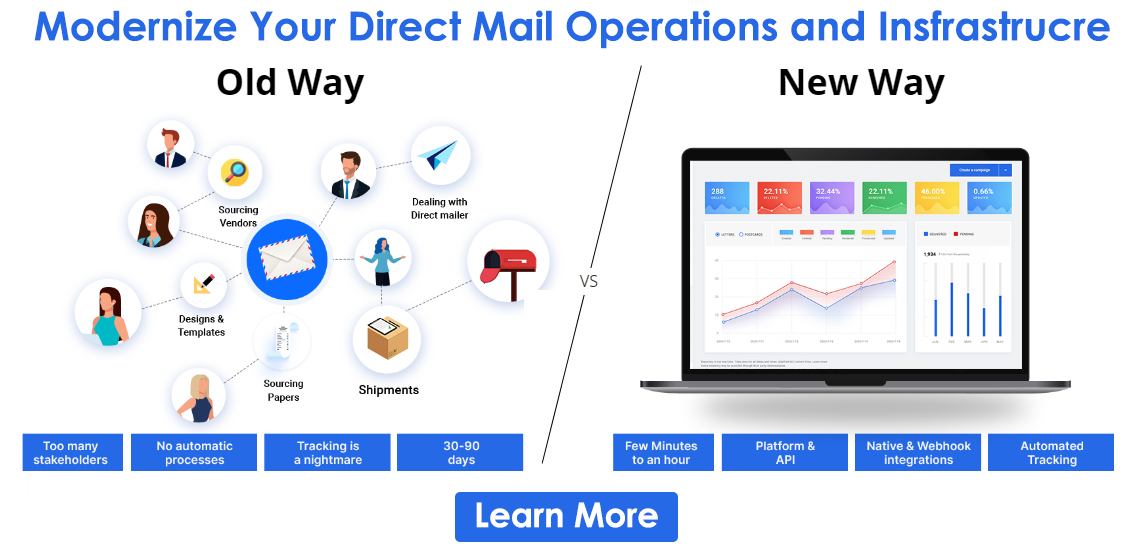
- You can use PostGrid to automate the designing, printing, and mailing of high-quality business cards.
Types of Business Cards
Single-Sided Business Cards
The card has all the necessary details on one side, and the back is left blank. This type is ideal for a minimalist brand or professional who prefers a simple, clean design. Moreover, the person you are handing out the card to can use the space to write appointment dates or notes.
Two-Sided Business Cards
The information is present on both the front and back of the card. This gives more space for adding additional information than a single-sided card. For example, you can add a branding element on one side and keep the contact information on the other. This is ideal for businesses that want to convey as much information as possible without cluttering the card.
Folded Business Cards
If you want your business card to double as a mini brochure, you should get a folded one. This card provides ample space for adding details like menus, pricing lists, or appointment reminders. This makes it suitable for businesses that want to showcase their services on a compact piece.
Square Business Cards
They stand out from traditional rectangular business cards and can help create a memorable impression. Businesses in creative industries like graphic design and photography can use them to showcase their innovative designs. They can convey their brand identity by adding bold visuals and engaging layouts.
Rounded Corner Business Cards
They have round corners that add a soft touch to the traditional business cards. While subtle, this modification gives the impression of a friendly brand and enhances the tactile experience. Moreover, the reduced corner wear and tear makes them ideal for daily distribution. Businesses that want to create a welcoming image of their business, such as hospitality or healthcare services, can use these cards.
Sizing Tips to Keep in Mind When Creating Business Cards
Standard Dimension
A standard business card is horizontal and rectangular. However, the size varies according to the region. For instance, the acceptable dimensions in the USA and Canada are 3.5 inches by 2 inches. The card can be easily stored in a purse, cardholder, or pocket. However, the standard dimensions in Europe are 85 mm by 55 mm.
Many businesses are now customizing the size of their business cards. Using the PostGrid Print & Mail API, you can decide the size according to your requirements. When customers or clients receive a card that stands out with its customized size, it gives a good impression, making them more likely to remember you and your brand.
Safe Area
This is where all the information and images are added while ensuring they are not cut off during printing. A standard safe area is 3.3 inches by 1.84 inches. Remembering this ensures you can present your content clearly and the card looks professional. The safe area should not be confused with the safe margin. The latter is the buffer area around the former and requires leaving 0.125 inches around the safe area.
Trim Line
This is the line where the business card is cut off. When deciding on the size and design, consider the cutting tolerance. This will help ensure that slight variations in printing or cutting do not trim the content. We recommend a 0.125-inch cutting tolerance. Anything that falls within 0.125 inches of the edge of the cut line might be trimmed.
Bleed Area
This is the extra space beyond the final trim size of a business card. It ensures that your design goes slightly past the edges to prevent white lines when cut. This will give your card a polished edge-to-edge print without any inconsistencies. In the USA, the recommended bleed area for a standard card is 3.61 inches by 2.11 inches. We also advise against adding borders, which might make it loop-sided after printing.
Orientation and Layout
Choose an orientation that reflects your brand’s personality. Moreover, ensure the layout is clean and well-organized for maximum impact. One of the most common layouts is landscape, which is easy to read and store. Businesses in industries like finance, law, and corporate commonly use it. If you want to give your card a unique and modern look, go for a vertical one. However, remember that in portrait orientation, the text should be easy to read and not force the recipient to rotate the card multiple times, as it might frustrate them.
Card Thickness
The thickness impacts how the card looks and feels to the clients and the customers. A standard business card is either 14 pt or 16 pt thick. If you want to circulate it like a brochure or a flyer, we recommend going with 14 pt. or 0.14 inch. However, if you share it in a meeting or a conference, go with 16 pt. or 0.16 inch. They are relatively durable and look more professional than 14 pt. If you want it to look high-end, we recommend choosing between 18 and 32 pt. VIP professionals or luxurious brands typically use these to make a statement.
Font Size
The font on the card should be readable and balance the design and content. If the text is too small, it will be difficult to read. However, if it is too large, it will make the piece look cluttered. For essential text fields like your name and the company’s name, choose a larger font size in the 10-16 pt range. Other information like phone, email, website, and social media handles can be in a smaller font size. However, we advise not going below 8 pt, which might make the text hard to read. If you want to determine which font size is the best, keep the following things in mind:
- Amount of text: The more text your card has, the shorter your font should be. However, make sure the content is readable.
- Design: A minimalist design with white spaces would need a large font size to make the text prominent. However, we recommend using a smaller font size if you use many graphics.
Designing Tips For Business Cards
Add Necessary Information
Make sure that your card has the following details:
- Company and Person’s Name: Make sure you use the correct font size and place the name on the card in such a way that it catches immediate attention.
- Company Logo: Make the logo large enough to make your brand memorable. Write a tagline that summarizes your company’s products and services.
- Job Title: If the person forgets your name, they will remember you by your area of expertise. You can highlight this detail with a different colour or large font size.
- Website: Add your web address name and the extension it contains. Avoid writing the HTTP portion, as this will take up valuable space and make your card look cluttered.
- Contact Details: Include your email address, phone number, and social media handle. If you prefer one form of contact, use a large font or make it bold to ensure it is prominent.
Use Appropriate Typography
The font you choose should tie all the design elements together and create a positive brand perception for the audience. By balancing readability with design, it should also transform your business card into a conversation starter. Moreover, the font you choose should reflect your brand. For instance, choose Sans Serif fonts like Helvetica, Arial, or Futura if you want a modern look. If you want to give your card a traditional feel, opt for Times New Roman or Garamond. Furthermore, we recommend using the same font for online and offline channels to keep your branding consistent.
To make sure you choose the right font, keep the following things in mind:
- Make sure it looks readable even in smaller sizes.
- Avoid overly decorative fonts, as comprehending the information can be difficult.
- If you plan to use a finishing technique like gold foil, choose a heavy font that can handle it.
- If you plan to pair multiple fonts, ensure they work well together. They should also complement your logo.
Use colours Strategically
Choosing the right colour can impact mood, perception, and brand recall. We recommend using the same colour palette as the social media channel or website to maintain consistency across marketing materials.
You should also maintain good contrast for readability. For instance, use dark text on a light background and vice versa. If you want to highlight certain elements, we recommend using bold accent colours. You can also use colour psychology to evoke emotions in the card recipient. For instance, if you are in the wellness or sustainability business, we recommend using green as it symbolizes growth, health, and eco-friendliness.
Leave Some White Space
Do not clutter your card with too much text or graphic elements; they will compete for the audience’s attention, and nothing will stand out. Strategically leave white space to highlight important aspects. Additionally, you may have to write something on the card before handing it to the person. White space will allow you to write a note or add any additional details specific to the person you are giving it to.
Include a Call To Action
Your business card should convince the recipient to take action. For this, you should add a call to action (CTA). It will turn it from a contact tool to marketing material. We suggest adding a QR code to make it impactful and increase the response rate. Scanning it will send them to your website, a special offer, or add them to your mailing list. Always place the QR code in the back so that it doesn’t take away attention from what your business offers.
Use PostGrid Print & Mail API to Create Business Cards
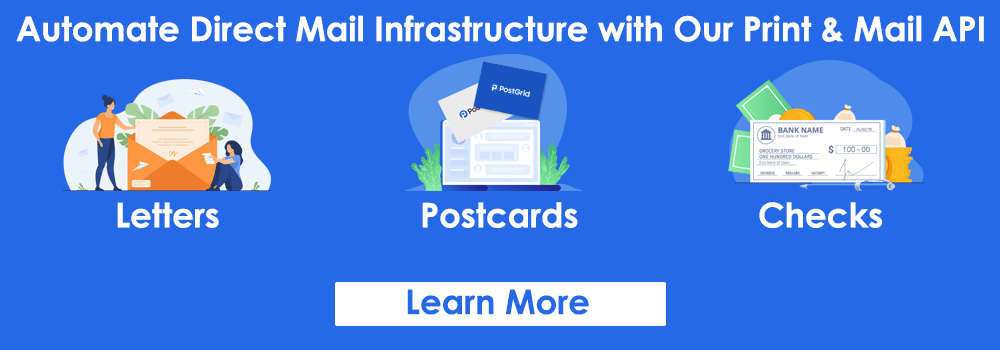
By understanding the card dimension and incorporating design elements strategically, you can ensure that your business card stands out. If you want to simplify designing, printing, and mailing, PostGrid has got you covered. The customization makes it easy to create cards that align with your business requirements. With automation, you speed up creating and distributing these pieces, regardless of the quantity. Whether you want it standard or custom-sized, we will ensure precision and quality to ensure you make the right impression every time. If you want to see how we work, request a demo now.
 Also Read: PostGrid Print & Mail