
What is Proofing a Print Order?
Businesses prefer proofing their print orders to get a preview and a fair idea about the final order’s layout, text design, and content. It helps in making last-minute adjustments to avoid costly errors in the printing process. You can also overcome technical difficulties such as colour accuracy by proofing a print order. However, proofing requires advanced printers, colour calibration, and skilled operators to ensure the highest quality materials. You also need to know about the different types of print proofs suitable for each use case. Don’t worry we’ve got you covered. This blog will be the perfect read for learning everything about proofing in the printing industry. We’ll also prepare a proper proofing checklist and suggest a reliable solution for your printing jobs.
Key Takeaways
- Proofing helps businesses finalize the final print job’s layout, text design, and content.
- Businesses can spot errors before executing the final order by proofing prints.
- Proofing is one of the most critical parts of the printing process.
- Screen proofs are the fastest way to see how the final copy will appear.
- Wet proofs provide the most accurate representation of the final copy.
- A printer must meet strict specifications for print proofing.
- Advanced technologies in inkjet and laser printers require skilled operators to handle them.
- Hard proofs are ideal for complex print projects to analyze margins, pages, and general construction.
- A proof checklist can help you make expensive mistakes in your printing projects.
What is Print Proofing?
A proof print is a replica of what the end result will look like. It gives you a preview of your press-ready file, helping you evaluate and finalize the layout, text design, and content before the order goes for printing.
Print proofs are vital as they allow you to spot errors before executing the final order. No business wants to make costly mistakes by ignoring the proofing process and producing a large order. They must examine the proof to avoid wasting materials, effort, and money. A print proof uses precisely the same materials and adjustments as the final copy, providing the best representation of what to expect from the batch.
You might think the proofing process is unnecessary, but it is one of the most critical parts of the printing process. Although you can achieve the best results in the design stage, proofing is also crucial.
Benefits of Proofing a Print Order
Proof helps businesses make creativity come to life. They produce better products apart from saving time and money in the long run. It is the only way you can ensure satisfaction with the final results.
Save Time and Money
Imagine you are printing 10,000 posters to market your new restaurant, and the final copies don’t appear the way you wanted them to. It could be a complete waste of time and money. Reluctantly, you’d use them anyway to run the promotional campaigns, which might not yield any results. After such a calamity, we can only return to the drawing board and start fresh.
Proofing the print order helps us avoid restarting the entire production. We can quickly spot the errors and make the necessary adjustments between the proofs. The final result will be much crisper and better than simply sending a job to finish.
There are substantial cost savings when you don’t have to reprint the print order. Imagine reprinting those 10,000 posters, creating a massive dent in your pocket. A set of proofs might be more expensive than the final copy, but it’s much more cost-effective than reprinting the entire batch.
Overcome Technical Challenges
You’ll notice differences when you look at a picture on your computer and check the same picture on your phone. Colour variations exist from one digital display to another, and there are always slight variances, even between identical units.
The same applies to printing technology. What you print with your home printing might look differently on a commercial printer. In fact, large-scale printers are far more complex and give you different results than what you see at home or in the office. Proofing the print order is necessary to feel, see, and smell the final product. You can make minor proof adjustments to achieve your desired final print.
Types of Print Proofs You Should Know About
Screen Proofs of PDF
As the name suggests, these proofs are the easiest and fastest to produce. Your printing partner would use CTP (Computer to Plate) technology to rip the PDF, generating a press plate and a PDF proof.
This type of proofing is ideal when you want speed or need the results via email. It gives you a quick overview of the layout and fonts. However, we cannot expect the best resolution and colour matching with this method. A different type of proof would be appropriate for more complex and costly jobs that require accurate representation.
Low-Resolution Proofs: Content, Plotter, Inkjet, and Scatter Proofs
The printing partner would print these proofs on paper using various methods. They are more appropriate for lower-value projects and suitable when the business wants to see a printed representation of the final results. For example, Scatter proofs are best for jobs with multiple pages. You should only use these low-resolution proofs to check the page positions, content, and placement. Businesses never consider them for individual Pantone references.
High-Resolution Proofs: Digital Proofs, Sherpa Proofs
These proofs require Pantone-calibrated printers to produce highly accurate copies with the best colours and imagery. Thus, you get a perfect idea of the clarity and accuracy of the final print. However, these high-resolution proofs are obviously more expensive due to their complexity and production process.
Wet Proofs
A wet proof is needed when accuracy is the highest priority. It is the most expensive proof option, but it will give you an exact idea of how the final item will appear. The printing partner will either use lithographic printing or a digital printing press to provide wet proofs. They prefer using the same material as the final product to provide the most accurate representation.
Press Pass Proofing
This process involves the business checking the prints while they are on the press just before printing. Rectifying errors could be expensive because you must fix the design and materials. It is often used as a final ‘belt and braces’ method for critical and expensive print projects.
Why Do You Need Specialized Print Proofing Equipment?
Advanced equipment is necessary to achieve the perfect match in your proofings. You might need the best printers and monitors to produce accurate proofs every time.
Proofing Printers
The printer must meet strict specifications to become eligible for print proofing. Configuring the printer for proofing is also necessary, and it might take weeks. Your printing partner must regularly test and maintain the printing machines to ensure consistent accuracy.
colour Calibration
Printing companies must achieve precise control over colour to produce high-quality proofing material. Light and ink work in opposite directions. Digital screens have red, green, and blue pixels, popularly known as RGB. At the same, printers use cyan, magenta, yellow, and black (CYMK) inks. It is often the challenging part for printing companies while producing proof material.
Skilled Operators
Epson, Canon, and Kodak are the most popular brands for having advanced ink technologies in inkjet and laser printers. However, you also need skilled professionals who can efficiently operate these machines to produce the best proofing and final printing results. These operators have the job of matching screens and paper to help businesses review and make corrections. They calibrate monitors and printers with a series of rigorous tests and corrections.
What's the Difference Between Soft and Hard Proofs?
A soft proof refers to an electronic file (usually a PDF) that simulates the appearance of the final printed piece. You will get a report to draw your attention to any errors that require amendment. The printing partner is most likely to share this report with you.
They can email soft proofs to you instantly for approval. It drastically increases the speed of the proofing process. These proofs are standard for straightforward jobs like flyers or postcards, leading to no additional costs.
A hard proof is a physical sample, generally used in little complex print projects. For example, a hard proof might be necessary for a business brochure. It would help you analyze how pages, margins, and general construction look according to your vision.
Hard proofs are more common where the projects have embossed areas, unique folds, or any other printing techniques that might require special review.
Proofing Check List You Must Consider
- Colour Accuracy: You need to put extra effort into analyzing the accuracy of the colours in the proof. Pantone colours might change when you convert them to CMYK colour profiles.
- Image Quality: Consider bitmapping your images to ensure they are updated in the print file. Unlinked images might appear low resolution and compromise the quality of the proof.
- Image Placement: Always check the crop size of the images. The final copy’s image might need to be moved or cropped.
- Bleeds: Search for the white spaces near the images or colours that require bleeding. The printing professionals will trim the proofs by hand to move the paper. If you spot any peculiarity, don’t forget to mention it.
- Size: Double-checking the proof size with the job specifications is always a good practice. The final copy might require slight trimming for adjustments.
- Pagination: Look closer at a saddle-stitched or bound book to ensure the perfect final job. The proofing material should not contain out-of-order pages.
- Grammar: Typos can be expensive when the final material is out. Instead of reprinting the whole thing, you can always take the time to fix these mistakes during proofing.
- Font: The text might appear if the printing partner doesn’t use the fonts you send with the job. Even fonts with the same name might have different heights or widths.
- Panel Sizes: Your panel sizes could be slightly off if you don’t get a final size from your printing provider. Ensure you can’t see any elements on the folded proof from one panel to the next.
How Can PostGrid Help You Print and Proof Printed Materials?
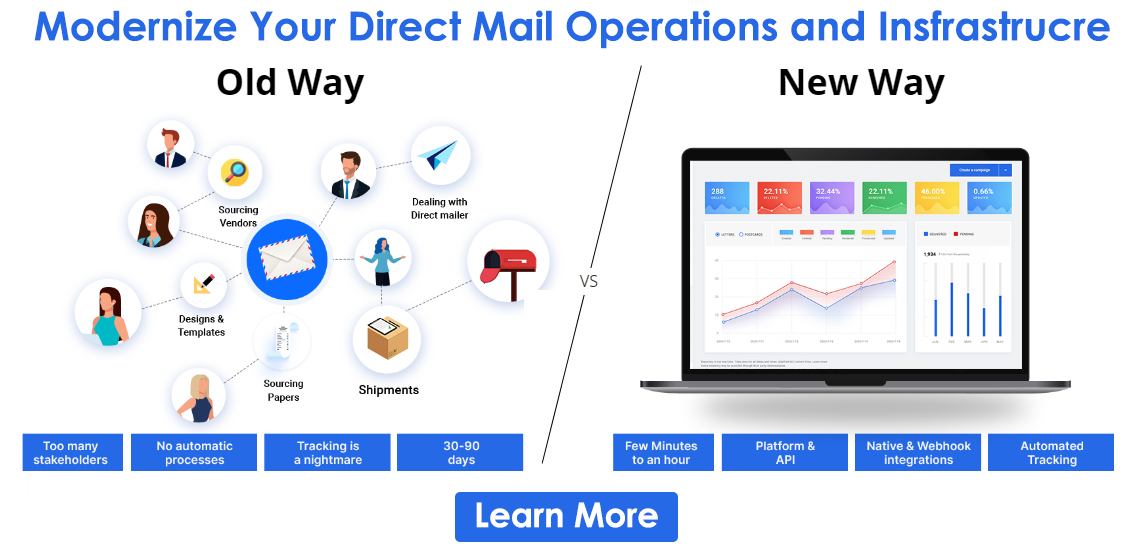
Many businesses seek a comprehensive solution to print simple materials like postcards, flyers, and other self-mailers. PostGrid’s Print & Mail API is an ideal scalable solution that lets you send personalized letters, postcards, self-mailers, and more on demand. The built-in HTML editor gives you soft proofs to understand how the final copy would look on your recipient’s hand. You can check everything and make necessary adjustments live without breaking a sweat. There are ready-made templates perfect for every print job and have maximum printing accuracy. It helps save time when proofing and designing your collateral from scratch.
Sign up now to print accurate materials by proofing print orders.