
USPS Mail Layout Templates: What Are They and How to Choose the Right Size?
Did you know that the USPS delivers an average of 23.5 million packages daily and 3,684 mailpieces per second? Being one of the largest postal organizations worldwide, the USPS does a fantastic job shipping all mailpiece types nationwide and globally.
Besides shipping crucial documents, notices, customer orders, etc., businesses use USPS delivery options to market their products and services. One such option is Every Door Direct Mail (EDDM), which allows you to send non-addressed promotional materials to specific localities, neighborhoods, or ZIP codes.
For example, if you open a shop on Bourbon Street in New Orleans, you can send postcards, flyers, or letters to all the households or offices in the locality. It helps you get better exposure for your new store and more customers. However, you must use the USPS mail layout templates and follow the EDDM guidelines to send items using this delivery option.
This blog discusses USPS mail layout templates and which size is best for your business. Let’s dig in!
Key Takeaways
- USPS mail layout templates allow you to send EDDM mailpieces according to the postal guidelines. You can follow them to send promotional items to target audiences.
- Businesses can use several postcard and letter templates to communicate their messages with prospective clients.
- Though EDDM mailings are cost-friendly, personalized campaigns are better for your audience’s attention.
- You can use PostGrid’s Print & Mail API to design, print, and ship your personalized marketing mailers without wasting time and money.
What Are USPS Mail Layout Templates?
These templates enable businesses to follow the standard size and structure the USPS prescribed for EDDM mailings. You can visit the USPS website for design instructions or get help from a printing service provider.
Firstly, you must decide which promotional materials to send your prospects, like postcards, letters, flyers, brochures, etc. It allows you to narrow down your mail layout template options and choose one that best fits your marketing objectives.
Most templates are available in different sizes and formats. Thus, you can be flexible and choose a size that can accommodate your messages and offers on one page. However, you can always send multi-paged mail pieces if the weight does not exceed the postal service requirements.
What Are the Popular EDDM Postcard and Envelope Mailing Template Sizes?
Let us discuss the USPS mail layout templates for two of the most commonly used marketing formats: postcards and letters. Postcards are compact, but they make your messages pop. You can add small messages and taglines with compelling offers and CTAs to communicate with potential customers. It is a simple approach to EDDM mailing. Also, it is less expensive because you save on the envelope expenses.
4″ x 6″ Postcards
These standard-sized postcard templates allow businesses to connect with prospects while being on a limited budget. They aren’t too broad, helping you send them at minimal postage charges.
Eye-catching headings and graphics can enhance your 4″ x 6″ postcards. Since the size is compact, you can make your messages pop by adding color and images. Businesses can experiment with different fonts and orientations to get the best combination for their brand promotions.
5″ x 7″ Postcards
These are slightly broader than the 4″ x 6″ cards, allowing you to add more words or sentences to your messages. For example, you can add bullet points to discuss your products and services. Or you can add more images to showcase them. It gives you better flexibility to express your brand and get more responses.
6″ x 9″ Postcards
You can use these USPS mail layout templates to advertise your luxury products and services to target audiences. The larger size gives people the illusion that you want to promote something high-end.
Many brands use the 6″ x 9″ postcards to stand out from the crowd and give people something to remember their company by. Recipients can store these cards for longer and refer to them whenever they want to buy something from the business.
6″ x 11″ Postcards
These oversized postcards are excellent for making a loud impression on your audience and getting people talking. You can use them for multichannel marketing, wherein you combine traditional mailings with digital channels, like email or social media.
For example, you can ask people to share a picture of their 6″ x 11″ postcards on social media to create buzz about your brand. You can offer them a 10% discount on their next purchase in exchange for this engagement.
5.25″ x 7.25″ Envelopes
You can use the USPS mail layout templates for 5.25″ x 7.25″ envelopes to send greeting cards, postcards, invitations, etc. They allow you to create suspense regarding what’s inside the envelope, pushing people to open and see your message.
Businesses can add colorful graphics and teasers to these envelopes to increase open rates. They can also emboss the envelopes for better textures and higher credibility.
4.375″ x 5.75″ Envelopes
These envelopes are smaller in size. Hence, you can use them to send letters, notes, small-sized postcards, etc. They are more compatible with USPS mailing guidelines because you pay lower postage. However, you must choose this size only if your direct mail item can comfortably fit into the envelopes.
Things to Remember to Choose the Correct Mail Layout Templates
Your Mailing Objectives
Before picking a mail layout template, be clear about your goal. Are you promoting a product, offering discounts, or sharing information? The layout should match your purpose. For example, a sales flyer needs bold headlines and images, while a formal letter should be clean and professional. If you want customers to take action, like visiting a website or calling a number, ensure the design highlights that. A well-matched layout clarifies your message, improves response rates, and ensures your mail gets the right results.
Your Business Location
Your location affects your mail design. If you serve local customers, highlight your address and make contact details easy to find. Use familiar landmarks or a map if needed. If you serve multiple cities or ship nationwide, avoid designs focusing only on one area. Instead, mention delivery options or service coverage. Clear directions and store hours help drive visits for businesses with physical stores. Choosing the right layout ensures your mail speaks to the right audience and makes it easy for customers to reach you.
Mailing Budget
Full-color postcards and big brochures look great but cost more. Simple letters or smaller postcards save money. Postage costs also add up, so choose a size and weight that fits your budget. Printing in bulk usually lowers the price per piece. If your budget is tight, focus on clear design and a strong message instead of expensive extras. A well-planned layout helps you get the best results without overspending.
Time Availability to Plan and Conduct Campaigns
The time you have affects your mail design and campaign success. If you’re short on time, choose simple templates that need little editing. Avoid complex layouts that take too long to design and print. Pre-made templates can speed up the process. Also, consider mailing time—letters and postcards take days to reach people. If you need quick results, plan ahead or use faster mailing options. A well-timed campaign ensures your message reaches the right people at the right moment without delays.
Ability to Follow EDDM Campaigns
If you plan to use Every Door Direct Mail, your USPS mail layout templates must meet the postal size and format rules. EDDM lets you send mail to specific neighborhoods without needing exact addresses, but your design must fit their guidelines. Check the required sizes, placement of mailing labels, and space for postage. A well-designed EDDM mailer grabs attention while following the rules. Your mail might be rejected or delayed if you don’t follow the guidelines.
Personalization Requirements
If you want to add customer names, special offers, or unique details, choose a layout that allows personalization. Some templates work better for variable data, like names and addresses, without ruining the design. Please ensure enough space for custom text without making it look crowded. Personalization makes mail feel more special and can improve response rates. If you’re printing in bulk, check that your layout stays clear and readable even with different details.
 Also Read: Trusted Print & Mail Checks Provider
Why Send Personalized Mailings Instead of EDDM Mailings?
More Attention and Time at Households
Personalized mail stands out because it feels special. When people see their name on an envelope or postcard, they are more likely to open and read it. Unlike EDDM mail, which looks the same for everyone, personalized mail feels important and relevant. This makes people spend more time reading your message than tossing it aside. A customized offer or greeting builds a stronger connection with the recipient. The more attention your mail gets, the better your chances of getting a response or making a sale.
Might Share It with Others
People are more likely to share personalized mail with family, friends, or coworkers. If they get an offer that fits their needs, they might pass it along to someone else who could also be interested. A customized message feels special, making it worth keeping or discussing. Unlike EDDM mail, which looks generic, personalized mail creates a sense of value. This extra sharing can increase your reach without extra cost, helping your message spread beyond just the original recipient.
Prove Your Brand to Be Credible and Authentic
Personalized mail shows customers that you know and care about them. People feel valued when they see their name or a message tailored to their needs. This builds trust and makes your brand look professional and real. Generic EDDM mail can feel like junk, but a personal touch makes your message more believable. A well-crafted, customized mailer shows that you put effort into reaching the right people, making your business seem more reliable and authentic. And this trust leads to better customer relationships and more sales.
Higher Response Rates
People are more likely to respond to mail that feels personal. They pay more attention when they see their name or an offer made just for them. Personalized mail makes customers feel valued, increasing the chances of taking action—like visiting your website, calling, or purchasing an item. Generic EDDM mail often gets ignored because it doesn’t feel relevant. A well-targeted, personal message stands out and encourages a stronger response. The more relevant your mail is, the better your results.
Better Use of Budget
Personalized mail targets the right people, so you spend money on those most likely to respond. Instead of mailing to everyone, you focus on customers who match your business needs. It reduces waste and increases the chances of getting sales or inquiries. EDDM mail reaches many people, but many may not be interested. With personalized mail, every piece has a purpose, making your budget work smarter. A well-planned mailing means fewer wasted dollars and better results.
Also Read: Comprehensive Printing & Mailing GuideHow to Print and Mail Your USPS Items Online Using PostGrid?
You can conduct EDDM campaigns online by visiting the USPS website. However, you must handle many things, like finding printers and negotiating prices. Also, you should follow all the EDDM guidelines and prescribed dimensions for the post office to accept your shipments. Otherwise, they will be rejected, and your printing expenses will be wasted.
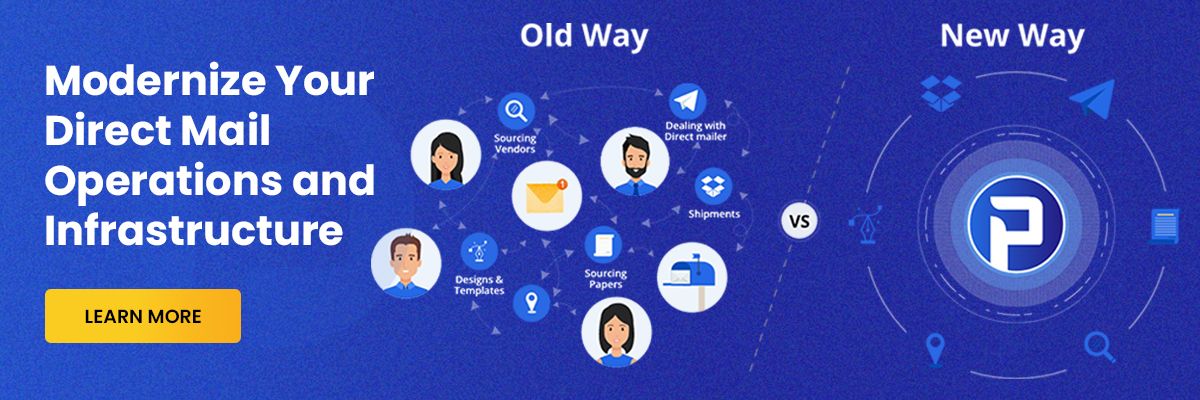
Businesses must know the cut-off times and days to register their EDDM items for deliveries. Otherwise, they might have to handle the mailing themselves. Though it takes a lot of effort and time to organize and conduct EDDM mailings, they are still generic, non-addressed items with your company name. Thus, executing personalized campaigns using a Print & Mail solution, like PostGrid, is better than EDDM.
You can integrate PostGrid’s Print & Mail API into your system to automatically fetch customer details and create tailored mailpieces. The best part is that you don’t need to worry about the USPS mail layout templates because our printers produce your items according to the postal regulations. Also, they directly send your mailpieces for delivery, ensuring you don’t waste time and resources handling logistics.
Businesses can manage mail designing, printing, and mailing in one place using PostGrid. Also, they can do so at reasonable prices with dev-friendly API documentation and user support.
Sign up now for more details on USPS mail layout templates and how to use PostGrid to send personalized mailings!